

5-Star Films Tools
5-Star Clip Manager
A dedicated Rockstar Editor clip manager for Windows, built for creators who record a lot and need a faster workflow than digging through folders in File Explorer.

-
Built for the Rockstar Editor
Point it at your GTA V clips folder and every capture is there.
-
Preview without leaving
A thumbnail for every clip, and in-app playback for video files.
-
Batch file work
Select many, then move, copy or delete them in one go.
-
Undo anything
Deletes, moves and copies can all be reversed.
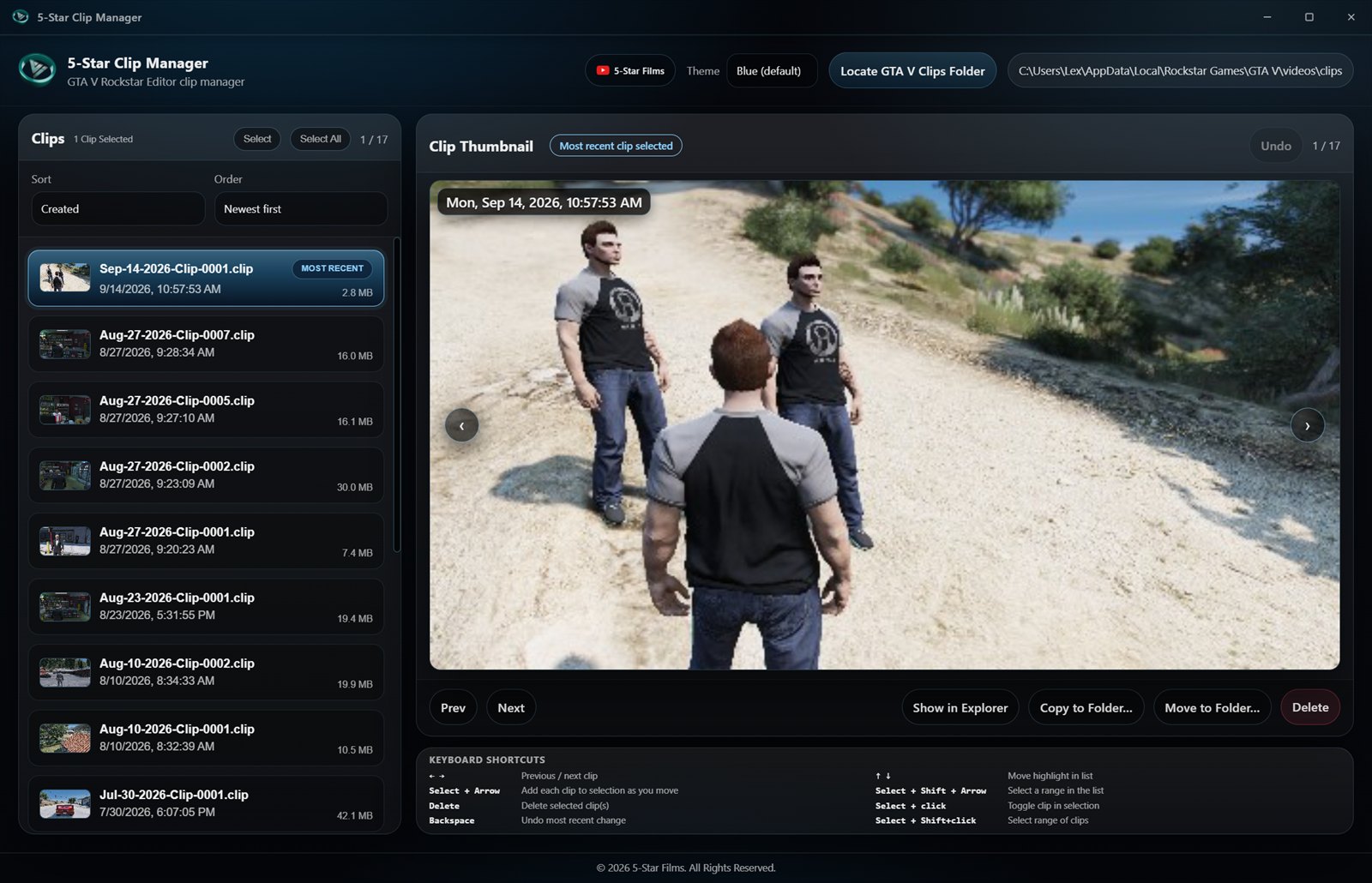
Inside the app
A faster way through your clips
For GTA V and FiveM creators who live in the Rockstar Editor: anyone who ends a session with dozens of captures and needs to sort, preview and move them without leaving one window.
-
One library
Every clip with its thumbnail, size and created date, and the newest marked Most recent.
-
Live updates
The list refreshes as new clips land in the folder, with nothing to reload by hand.
-
Sort your way
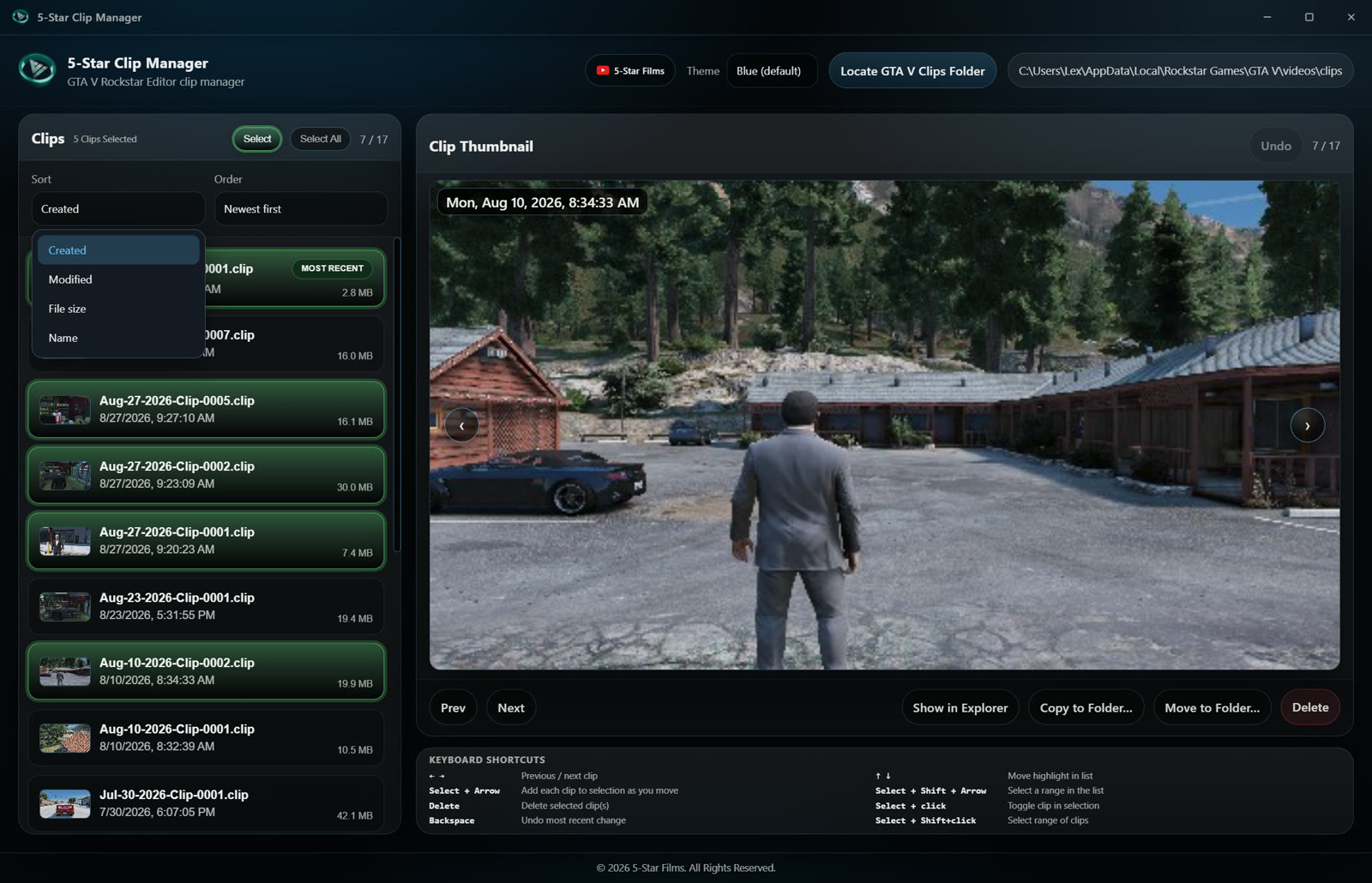
By created time, modified time, file size or name, in either direction.
-
Keyboard first
Arrow keys to move through clips, Select plus arrows to build a selection, Backspace to undo.
Features
Built for a folder full of clips
Everything it takes to get from a long recording session to an organized set of keepers.
-
01 One library for everything
Browse every clip in one place with thumbnails, file size and created date, and a "Most recent" marker on the newest capture.
-
02 Live folder updates
The list refreshes as new clips land in the folder, so there is nothing to refresh by hand after a session.
-
03 Preview without leaving
A preview panel plays common video formats in-app with controls, or shows a still when a matching thumbnail sits next to the clip.
-
04 Sort how you work
Sort by created time, modified time, size or name, in either direction.
-
05 Select in bulk
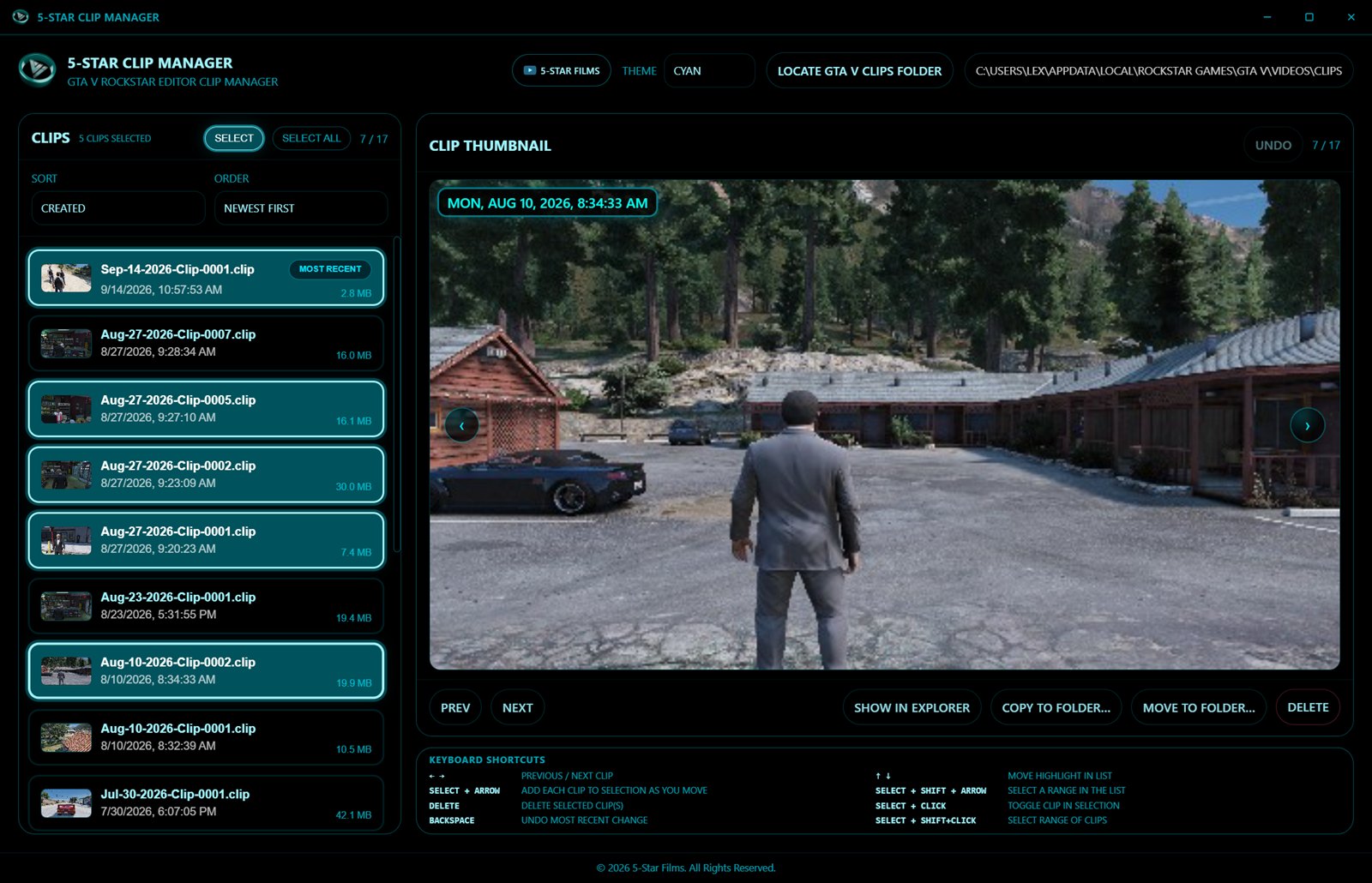
Multi-select, select all and range selection, including keyboard-driven selection, for batch work.
-
06 Move and copy
Move to folder and Copy to folder, so keepers, exports and project folders stay organized.
-
07 Delete with undo
Deleting has a clear workflow and an Undo, which covers batch deletes as well as move and copy operations.
-
08 Show in Explorer
Jump to any file's location to hand it off to the Rockstar Editor or another tool.
-
09 Formats it reads
.clip projects alongside .mp4, .mkv, .avi, .mov and .webm.
-
10 Three themes
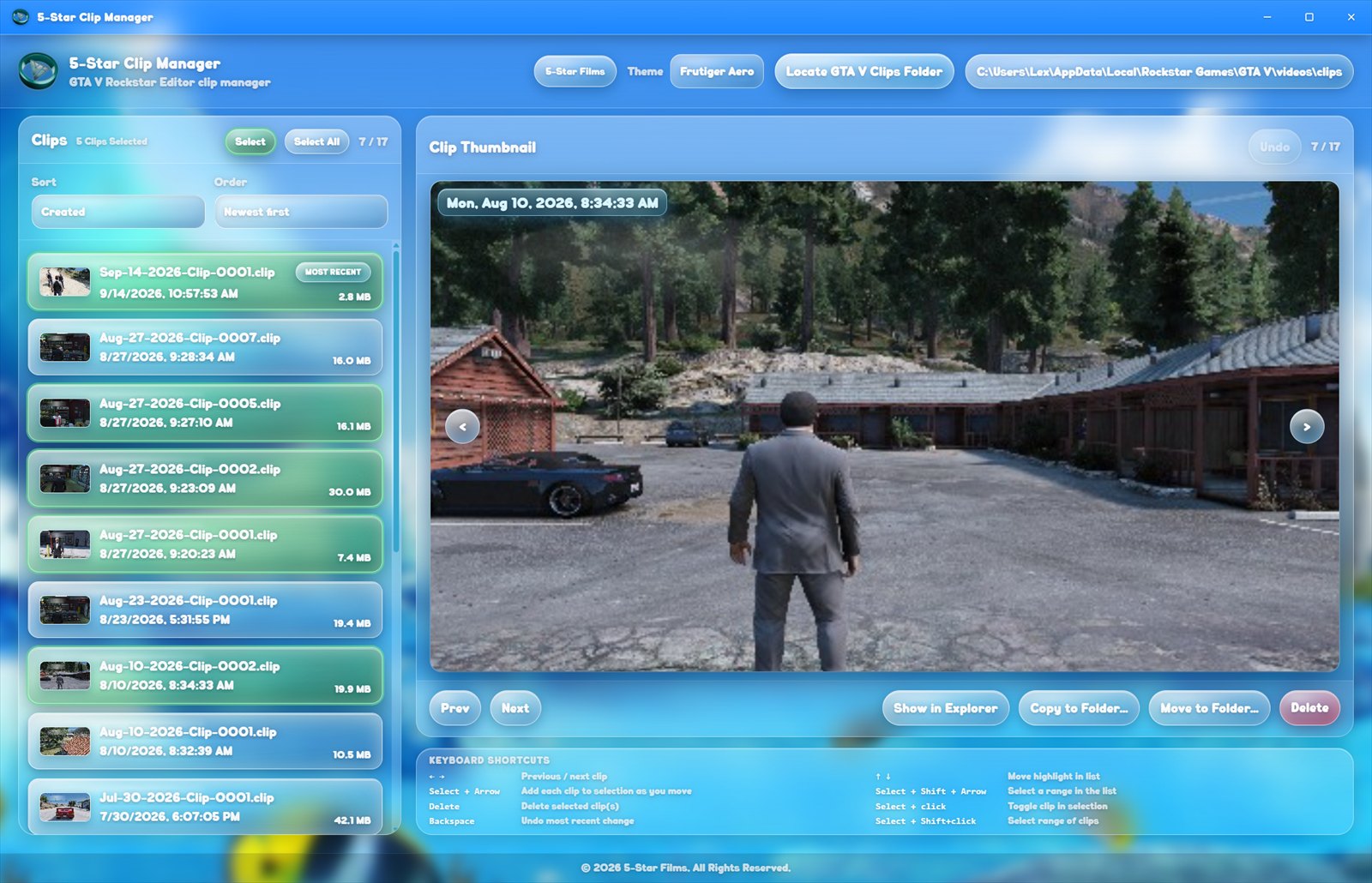
Blue, Cyan and Frutiger Aero, switchable from the top bar.
Screenshots
More from the app
Batch selection, the sort menu and one of the alternate themes, captured from a real Rockstar Editor clips folder.
On Gumroad
Get the Clip Manager
Free to download, or pay what you think it is worth. The listing, the installer and any updates all live on Gumroad.
Download on Gumroad